VISUAL COLLABORATION
Visual collaboration software
Visual collaboration software is a shared place to look at the same visual and respond on it. In ApproveLoop that visual is a still image. You upload a PNG, JPEG, or WebP, send one private link, and the client pins a comment or approves that version. It is not a whiteboard, a live multi-cursor canvas, or a project suite.
ApproveLoop does not offer a shared whiteboard, live co-editing, or a project board. Uploads are PNG, JPEG, or WebP.
Free plan: $0. One active project, no credit card.

Shift these leaves toward clay, and keep the cream ground.
EXAMPLE
One visual, then the agreed color
Fictional banner, shown as a shared visual. Not a customer’s work.
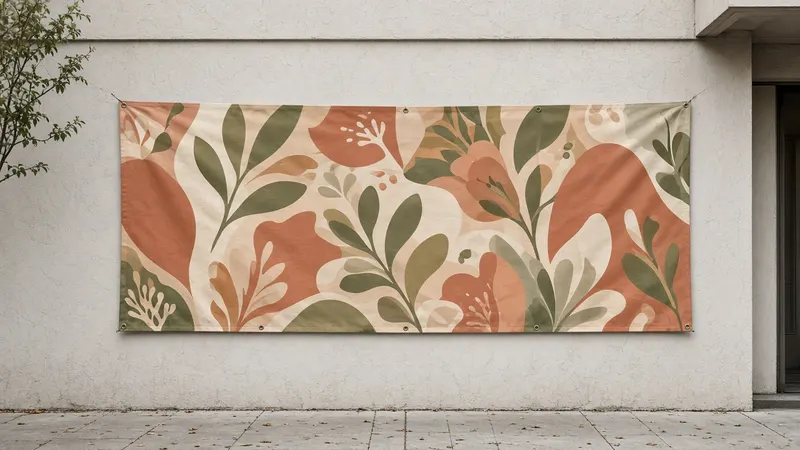
Client Change this banner from terracotta to deep blue.

What is visual collaboration software when the work is a design image?
It is a way for two people to look at the same visual and leave a response on it. For a design image, that means one private link, a pin on the detail, and an approval stored on that version. Whiteboards and live canvases are a different kind of collaboration. ApproveLoop does not draw on a blank board or show several cursors at once. The client opens the link in a browser and does not create an account.
How a visual gets a shared decision
Both people see the same image. The comment and the approval stay on that version.
-
01
Share the image
Upload a PNG, JPEG, or WebP. The link is the shared view. Your client does not create an account.
-
02
They pin a response
A pin is a comment on a point of the image. Submitting comments counts as one revision round. ApproveLoop does not add a shared whiteboard around the image.
-
03
Approve that version
Approval stores their name, the version number, and the time. A new image is a new version and a new decision.
Collaboration stays on the image
The shared work is the image, not a blank canvas. The pin shows the point they chose, and you can reply in the thread. There is no live cursor and no inbox to connect.
The agreed version stays identifiable
Each upload is its own version. Comments and the approval do not move to a later file. That is how a later visual avoids being treated as already agreed.
Visuals you can share
Share PNG, JPEG, and WebP still images. ApproveLoop does not open native design files, PDFs, video, a live website, or a whiteboard.
Included
- A private link to one image
- A numbered pin and a reply on that image
- Approval stored as name, version, and time
Not included
- Whiteboards and live multi-cursor canvases
- Project boards, tasks, or connected inboxes
- PDF, video, and live websites
Studios that need a client looking at the same design image, with the response attached to a point on that image.
Questions about visual collaboration
Is this a whiteboard?
No. The shared surface is an image you upload. The client clicks a point and writes a comment. ApproveLoop does not provide a blank board, sticky notes, or freehand drawing.
Can several people edit the file at once?
No. There is no live co-editing and no shared cursor. You upload a version. The client comments or approves that version through the private link.
Which files can we collaborate on?
PNG, JPEG, and WebP. Export the visual you want reviewed. Native design files, PDFs, video, and live websites are not supported.
Does the client need an account?
No. They open the private link in a browser. They do not install an app or create an account.
Related
Share the next visual on one link
One active project. Your client comments on the image or approves that version, without an account.
Start my free projectFree plan: $0. One active project, no credit card.