
FOR ARCHITECTS
Client portal for architects
Architects can collect feedback and sign-off on renders by sharing one private link to a still image. Upload a PNG, JPEG, or WebP drawing or render, let the client pin a comment, and record approval on that version. When every image is approved, mark the project completed. Archive a project when it should leave the active list. You can open it again from Archived.
ApproveLoop reviews images, not native CAD, BIM, or PDF drawing sets. An approval is a project record, not a legal signature.
Free plan: $0. One active project, no credit card.
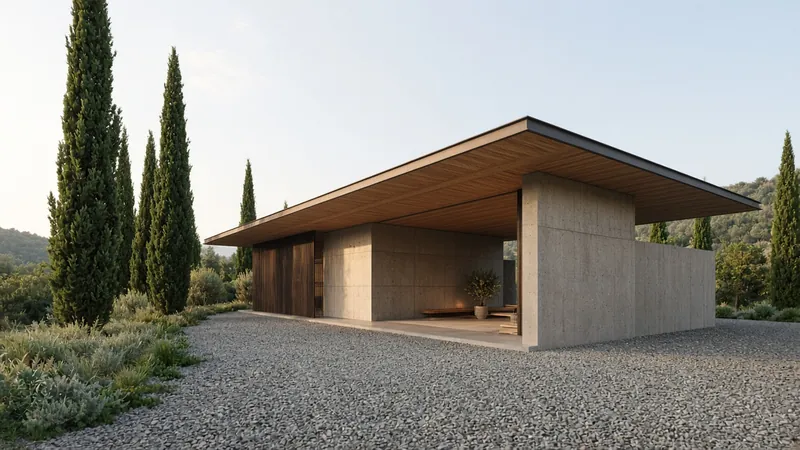
Extend this overhang, and keep the timber soffit.
EXAMPLE
A render, then the revised door
Fictional house, shown to illustrate an architectural review. Not a customer’s work.

Client Make this window wider, and change the door to metal.

How can architects collect client feedback and sign-off on renders?
Share one private link to a still image of the drawing or render. The client opens it in a browser, pins a comment on the detail they mean, and can approve that version. ApproveLoop stores their name, the version number, and the time on that file. When every image is approved, you can mark the project completed. Archive a project when it should leave the active list. You can open it again from Archived.
From a render to a recorded decision
The client reviews the image you exported. The decision stays on that version.
-
01
Upload the drawing or render
Export the view as a PNG, JPEG, or WebP image and add it to the project. You can note the fee and how many revision rounds are included.
-
02
The client pins the detail
They open the private link and click the window, the door, or another detail. Submitting those comments counts as one revision round.
-
03
Revise, or record the sign-off
Upload the revised image as a new version, or record approval on the version they accepted. Mark the project completed when every image is approved.
Feedback on the render they are looking at
Clients comment by clicking a point on the render or the exported drawing. The pin stays on that version. ApproveLoop does not open native CAD or BIM files, and it does not draw shapes on the image.
Active work, completed work, and the archive
Each upload is its own version, and comments stay on the version the client saw. Complete a project when every image is approved. Archive moves the project out of active work so a free plan can start another. You can open an archived project again from Archived.
Image support for drawings and renders
Upload PNG, JPEG, or WebP exports of drawings and renders. ApproveLoop does not open CAD, BIM, PDF drawing sets, 3D models, or a live model. It also does not check print production.
Included
- Still images of drawings and renders
- Comment pins on a point of the image
- Completed projects, and an archive you can reopen
Not included
- CAD, BIM, and PDF drawing sets
- A live 3D model or a client account
- A legal signature
Architecture studios and visualization teams that already design in their own tools and need a clearer review of still drawings and renders.
Questions from architecture studios
Do clients need design software?
No. They open your private link in a browser. They do not need CAD software, an app, or an account.
Can I review a PDF drawing set?
No. Export the sheet or the view you want reviewed as a PNG, JPEG, or WebP image. ApproveLoop does not open PDF sets, CAD, or BIM files.
How do I separate finished projects from active ones?
Mark the project completed when every image is approved. Archive it when it should leave your active work. You can open an archived project again from Archived. On the free plan, archiving the current project frees the one active slot.
Is the approval a contract?
No. An approval records that a named person accepted a specific image version at a given time. It is not an electronic signature and it does not replace your contract.
Related
Send the next render for review
One active project on the free plan. Archive it when you want that slot back, and open it again from Archived.
Start my free projectFree plan: $0. One active project, no credit card.